Install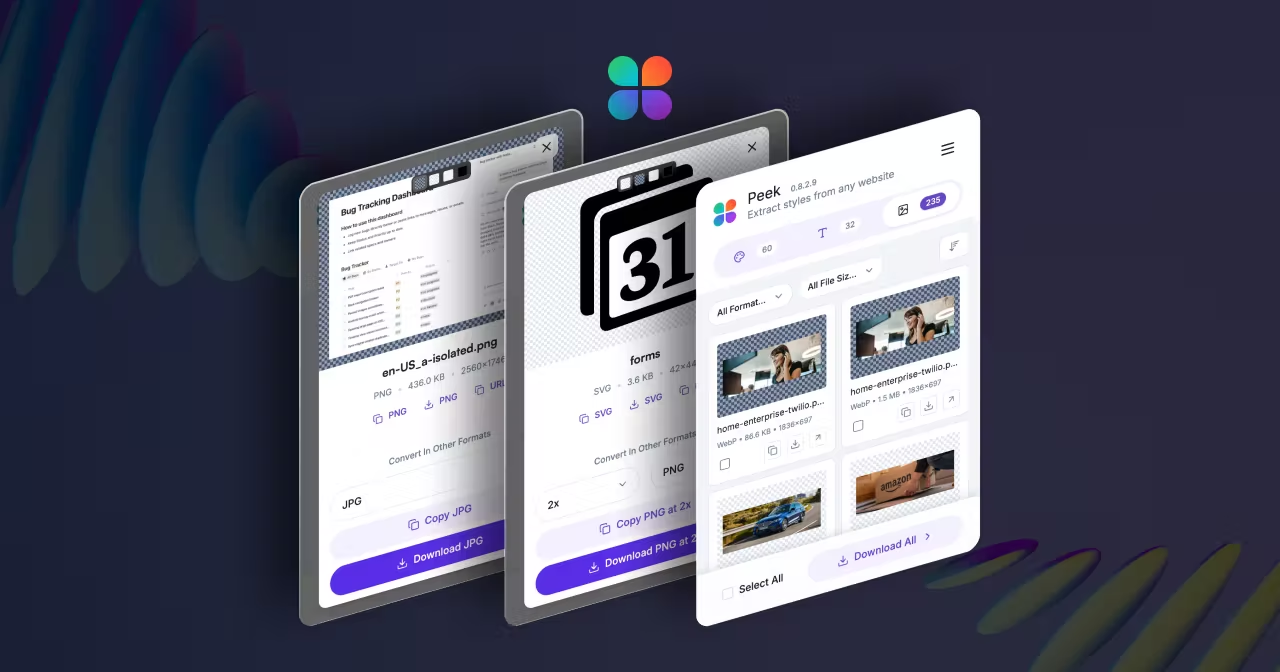
Loading...
Related Blogs
Download all images, SVGs, and background images from any website instantly. Free Chrome extension extracts assets, cleans SVGs for Figma, and finds hidden CSS backgrounds. Try Peek now!
We have all been there.
You are building a mood board or auditing a competitor's site. You see a perfect hero image or a crisp company logo that you need. You right-click, select "Save Image As...", and...
Nothing happens.
Maybe it saves as a useless .webp file. Maybe it's a CSS background image locked inside the code. Or worse, it's an inline SVG that breaks when you try to use it.

Suddenly, a 10-second task turns into a 10-minute deep dive into the code. Stop doing that. There is a smarter way to download all images from a website.
Browsers were designed for browsing, not extracting. Modern websites use techniques that make it hard to save images from websites:
<img> tags; they are often decorative CSS properties.DOM until you scroll.To get these assets manually, you have to be a developer. Or, you can use Peek Chrome extension to extract all website assets automatically.

Peek is a Chrome extension that acts as an "Asset X-Ray." When you open the Assets Tab, it scans the code to find every visual element — whether it's a standard photo, a hidden background, or a vector icon. It's part of a complete design extraction toolkit that also extracts colors and typography from any website.
Here is how Peek helps you extract website assets without the headache:
SVG Logos for FigmaYou know the pain: You copy a SVG code block from DevTools, paste it into Figma, and it turns into a black blob.
Peek is smarter than DevTools. It runs a cleaning algorithm on every SVG. It resolves CSS variables (like var(--primary-blue)) and inlines the styles directly.
The Result: A pristine, valid .svg file that works in Figma instantly.
Most bulk image downloader tools just grab the thumbnail currently on your screen.
Peek goes deeper. It scans the srcset and <picture> tags to find every available size. It automatically ignores low-res thumbnails and lets you download the highest-quality master file available on the server.
That pattern behind the header? It's likely a CSS property. Peek's engine parses the computed CSS of every element to find background-image URLs that standard "Save As" clicks can't reach.
Building a mood board? You don't want to download 50 files one by one. Peek includes a "Download All" feature that zips every logo, icon, and photo into one organized folder. Perfect for designers who need comprehensive asset extraction.
Your time is too valuable to be spent inspecting code. Whether you need to extract colors (check our guide on color extraction), analyze typography from websites, or grab a logo, the browser should work for you. Learn more about extracting assets, logos, and images from any website.
Install Peek for free and start building your asset library today.
To download all images from a website, install Peek Chrome Extension and open it on any website. Switch to the Assets tab to see all images, SVGs, and background images. Use the "Download All" feature to export everything as a zip file, or select individual assets to download.
SVG logos from websites?Peek automatically detects and extracts SVG logos from websites, even if they're inline code. The extension cleans the SVG code, resolves CSS variables, and exports a valid .svg file that works in Figma, Illustrator, and other design tools.
Yes! Peek can download background images from websites that are set as CSS properties. The extension parses computed CSS to find background-image URLs that standard right-click methods can't access.
Yes. Peek scans srcset and <picture> tags to find all available image sizes. It automatically detects and lets you download the highest-quality master file available on the server, not just the thumbnail displayed on screen.
Yes! Peek is completely free. All features including bulk image downloads, SVG extraction, and background image detection are available at no cost.
Peek preserves assets in their original formats including PNG, JPG, SVG, WebP, and more. SVGs are cleaned and optimized for use in design tools like Figma. For more tips on extracting design assets, check out our complete guide to extracting assets, logos, and images.