Install
Loading...
Ready for Tailwind v4? Your old hex codes won't cut it. Learn how OKLCH unlocks vibrant, perceptually accurate colors — and how to extract them from any site with Peek.
Imagine if you tried to draw a sunset, but your crayons weren't bright enough. For the last 20 years, web designers have had that problem. We've been stuck using a "Standard Box" of colors called sRGB. It has all the basics — red, blue, green — but it's missing the super-bright, neon, and electric colors you see in real life.
Now, look at your phone or your new laptop. Its screen is amazing. It can show millions of colors that don't exist in that old Standard Box.
This is the problem with Hex codes (like #FF0000). They are stuck in the old box. If you try to pick a super-bright neon purple from a modern website using an old tool, it essentially "dulls" the color down to fit in the small box. You lose the magic.
Enter OKLCH — the new way to describe color that unlocks the "Big Box" of crayons. And with Peek, you can finally use it.

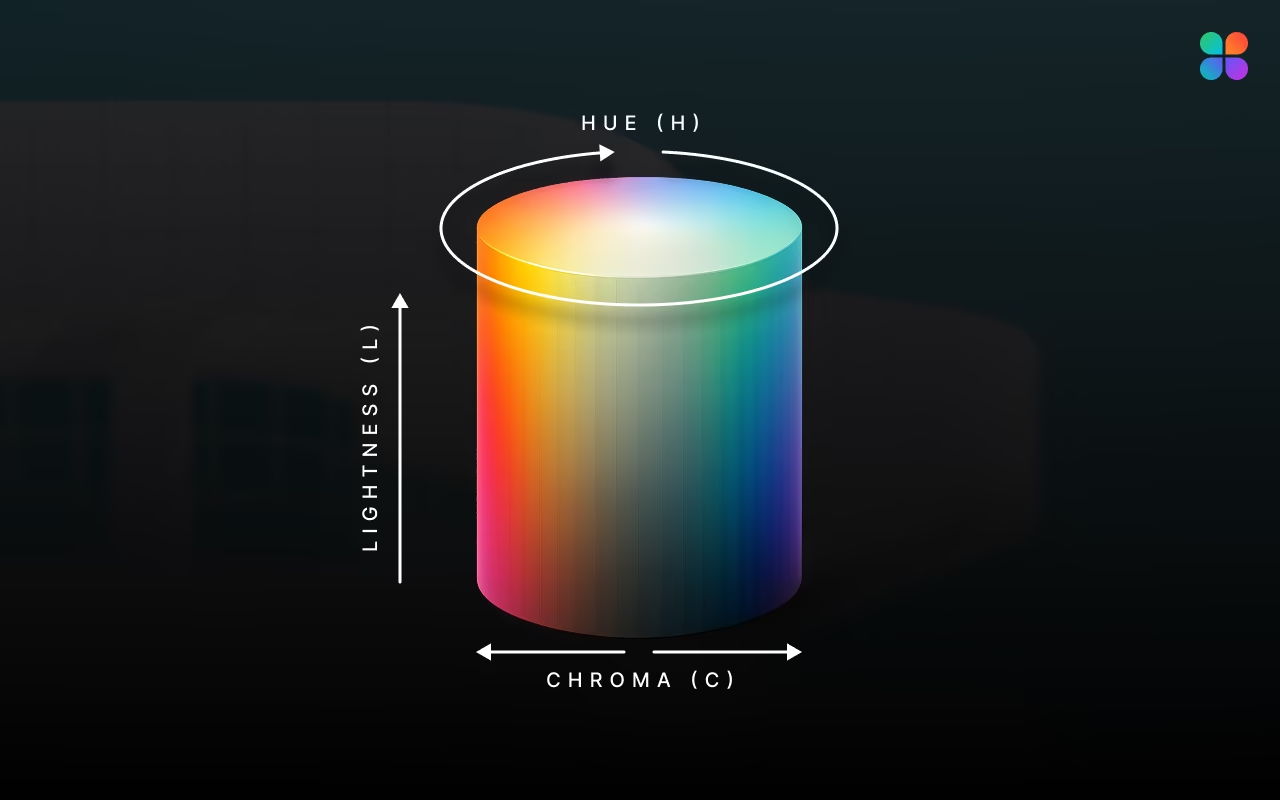
Forget the math for a second. Think of OKLCH as a coordinate system for how humans actually see, not how computers work.
It breaks color down into three simple dials:
You might have used HSL (Hue, Saturation, Lightness) before. It sounds similar, but HSL is a lie. Computers used to be bad at math, so they guessed. Now they are smart enough to see like we do.
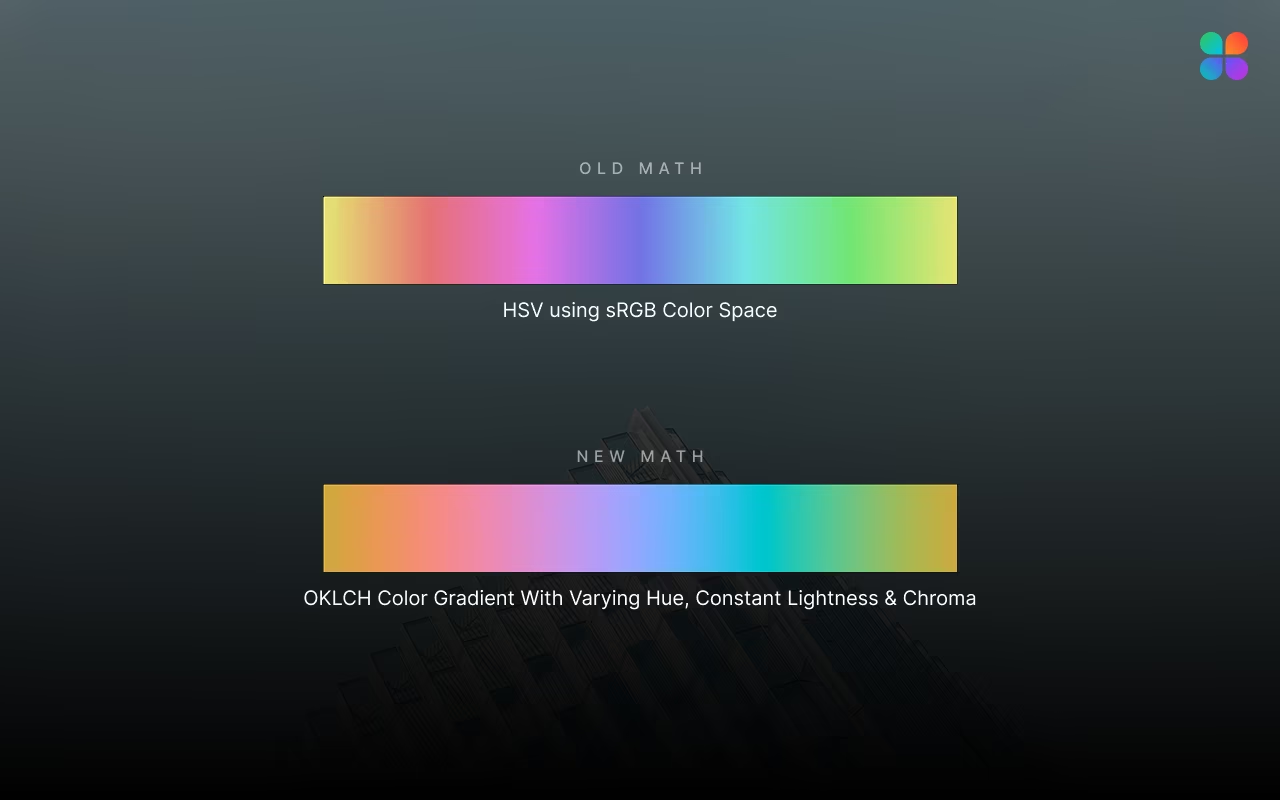
In HSL, if you set "Lightness" to 50% for Yellow and 50% for Blue, the math says they are "equal." But your eyes scream that the Yellow is way brighter.
OKLCH fixes this. If you set Lightness to 50% in OKLCH, the colors actually look equally bright to your human eyes. This makes creating consistent color palettes (like a button that changes from blue to green) incredibly easy because the text remains readable on both.
Tailwind CSS v4 went all-in on modern color. Tailwind's team realized that designers were fighting with old tools to make modern designs—they were stuck using the small box of crayons when screens could show so much more.
Tailwind v4 is like upgrading from a standard 8-pack of crayons to the distinct 64-pack artist set. It is built to support these "wide gamut" colors natively. This means you can finally build what screens can actually show, not what computers from the 1990s could calculate.
But there is a catch: Where do you get these OKLCH numbers?
If you use a standard color picker on a website, it usually gives you a Hex code. You are taking a beautiful, modern color and locking it back into the old box. You need a tool that speaks the new language.
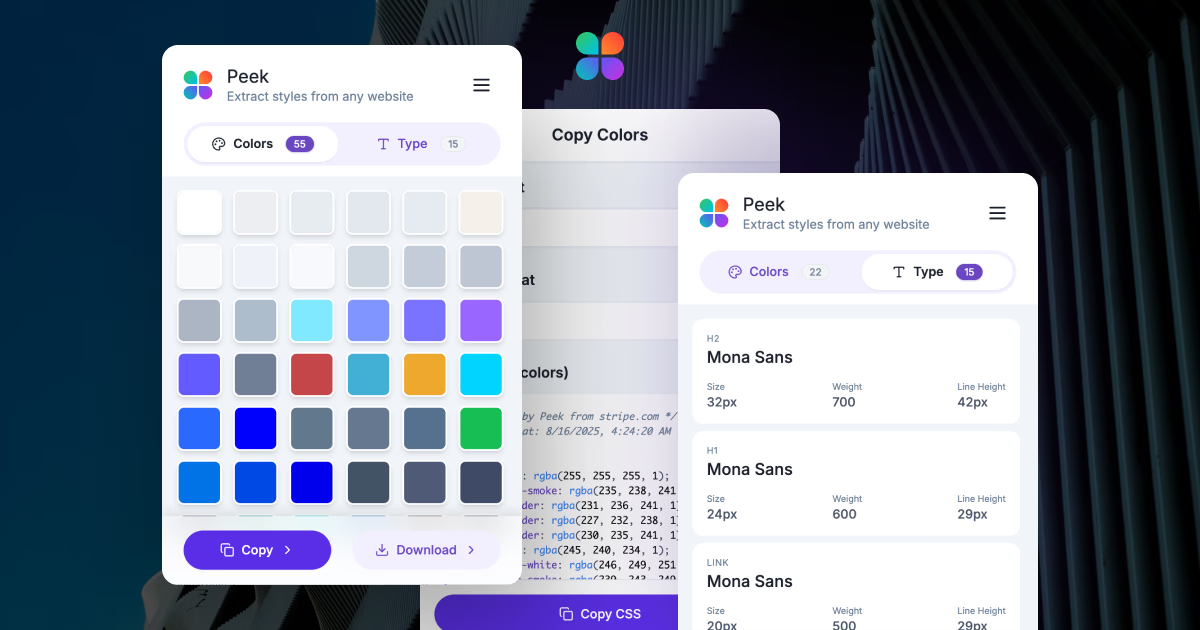
Want to see OKLCH in action? Peek was built for this exact moment. It doesn't just "read" the screen; it analyzes the color data to give you the most accurate format available.
Here is how to upgrade your palette in 30 seconds:
oklch(0.6958 0.2043 43.5)) and drop it straight into your Tailwind config or CSS file.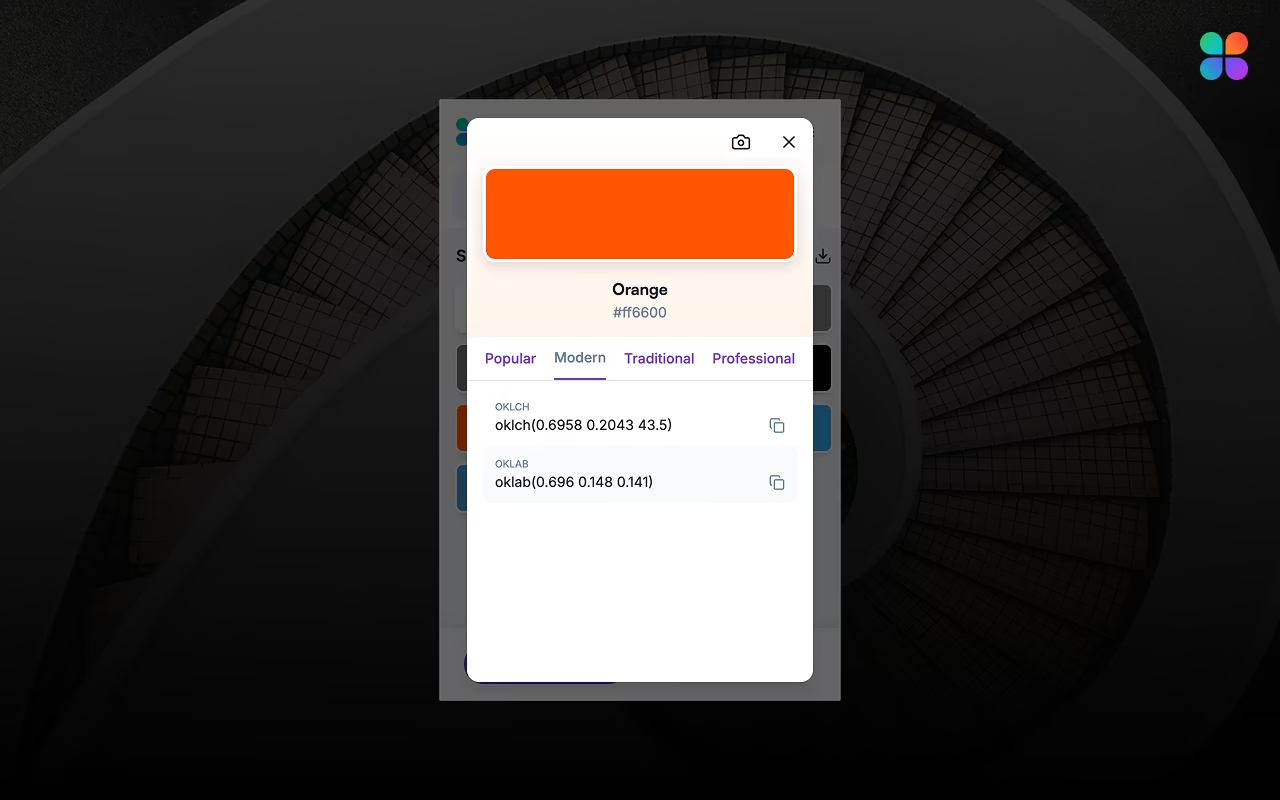
You might think, "Hex codes have worked fine for years." And you're right. But "fine" isn't "great."
As screens get better, users expect apps to look vibrant and polished. Using OKLCH ensures your site looks:
Throw away the broken crayons. Install Peek today and start painting with the full rainbow. Learn more about extracting colors, typography, and assets from websites in our comprehensive guide.